1
Find the best for Claude
Every Claude artifact you can install as a desktop app, in one place.Ranked by our own score, refreshed every day.
Try:
Top five today
By installas score- 2
Weird Web Demos
94installas score 94 / 10045% popularity on claude.ai or X25% quality, reviewed by Claude15% demo · 10% maker · 5% listingOpen the app for the full breakdown. - 3
Antikythera
92installas score 92 / 10045% popularity on claude.ai or X25% quality, reviewed by Claude15% demo · 10% maker · 5% listingOpen the app for the full breakdown. 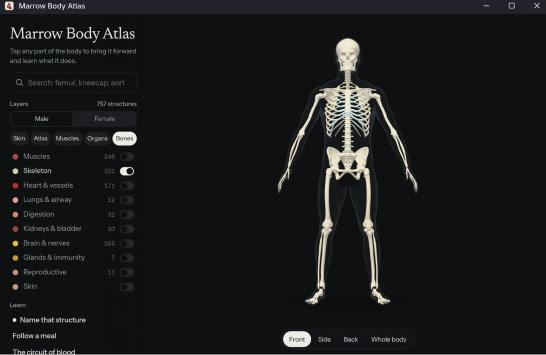 4
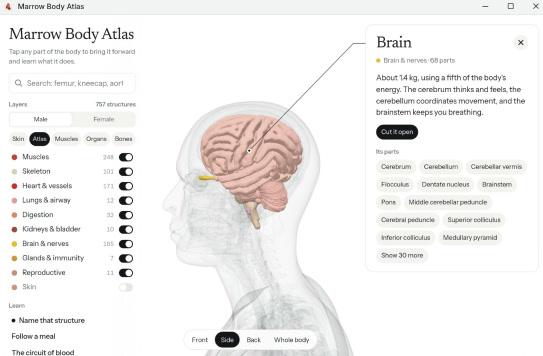
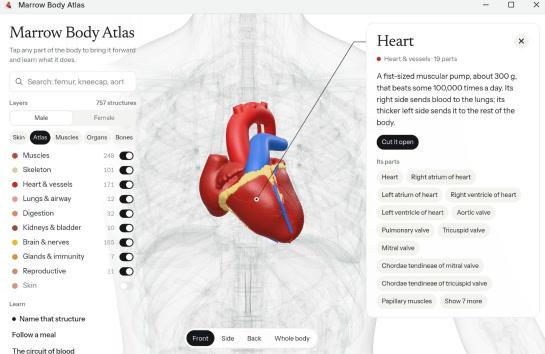
Marrow Body Atlas
89installas score 89 / 10045% popularity on claude.ai or X25% quality, reviewed by Claude15% demo · 10% maker · 5% listingOpen the app for the full breakdown.- 5
Nori Desktop Shark
89installas score 89 / 10045% popularity on claude.ai or X25% quality, reviewed by Claude15% demo · 10% maker · 5% listingOpen the app for the full breakdown.
All apps
Showing 11 of 163 apps
Saltline
First-person shooter, built from scratch
Weird Web Demos
HTML-in-Canvas playground
Antikythera
Explore an ancient gear machine
Marrow Body Atlas
Take the human body apart
Nori Desktop Shark
A shark pet for your desktop
Leaf Blower
A game designed by kids
Felix's Demo Apps
Playful demos of Claude desktop apps
Mini Moto
Race mini motos through a robot factory
Stitches Noise
Make ambient tape noise music
Ultra-Fast Automatic Shogi
Shogi with ten seconds total



Three Games
Three games from Claude's first draft
How it works
Install in two steps
- 1Open the link in Claude DesktopClick any app. In a browser, pick “Open in desktop app” from its title menu.
- 2Press Install as appConfirm once. The app gets its own icon in your Dock or on your taskbar.
Make me a desk clock with my team's time zones
Here's your Desk Clock.
Desk ClockInteractive artifact
Reply…
Desk Clock
Share
10:24
Rome10:24Tokyo18:24NYC04:24
Install “Desk Clock” as an app?
It gets its own window and an icon on your computer.
CancelInstall10:24
Rome10:24Tokyo18:24NYC04:24
10:24
Rome10:24Tokyo18:24NYC04:24
Installasapp
Installing needs the Claude desktop app for Mac or Windows. On a phone you can browse. Made an app? List it in a minute.